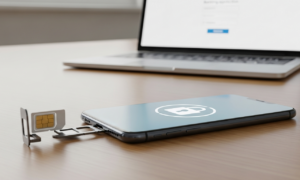
The passkeys vs passwords debate has moved from tech forums into everyday life, and for good reason. Passkeys are now supported by most major platforms, and many people wonder if it’s finally time to drop passwords for good. This guide breaks down what passkeys actually are, how they compare to passwords, and whether switching makes sense for your most important accounts right now.
What Are Passkeys, Really?
A passkey is a digital credential tied to your device instead of a memorized word or phrase. It uses cryptographic keys that live on your phone, laptop, or a hardware security key.
Instead of typing a password, you unlock your device with your fingerprint, face scan, or PIN. That local action then confirms your identity to the website or app you’re logging into.
Because there’s no shared secret typed into a login box, passkeys are much harder to steal through phishing emails or fake login pages. This is one of the main reasons the passkeys vs passwords conversation keeps coming up in security circles.
Passkeys vs Passwords: The Core Differences
Understanding passkeys vs passwords starts with how each credential is stored and used. Passwords are text strings you create, remember, and often reuse across sites. Passkeys are generated automatically and never leave your device in a usable form.
Here’s a quick comparison of how passkeys vs passwords stack up in practice:
- Phishing resistance: Passkeys can’t be tricked into working on fake websites; passwords can be typed anywhere.
- Reuse risk: Passwords are often reused across accounts; passkeys are unique to each service by design.
- Memory burden: Passwords require memorization or a manager; passkeys rely on device authentication instead.
- Data breaches: Leaked password databases can be exploited; passkeys have no server-side secret to steal.
- Setup complexity: Passwords are simple to create but weak if reused; passkeys take a bit more setup upfront.
In short, comparing passkeys vs passwords usually comes down to one thing: passkeys remove the weakest link in most account breaches, which is human-created, reused passwords.
Compatibility: Where Passkeys Still Fall Short
Not every service supports passkeys yet, and that’s the biggest catch in the passkeys vs passwords debate for 2026. Major platforms like Google, Apple, and Microsoft have strong support, along with many banks and social networks.
However, smaller websites, older enterprise systems, and some regional banking apps still rely entirely on passwords. This means most people will run a hybrid setup for a while, using passkeys where available and passwords elsewhere.
Device compatibility matters too. Passkeys generally sync through your phone or browser’s ecosystem, so switching between Android, iOS, and Windows can sometimes create friction if accounts aren’t linked properly.
If you’re still using an aging phone, this is worth checking carefully. Our guide on old smartphone security risks explains when outdated hardware can limit your ability to use modern authentication features safely.
Recovery Risks You Shouldn’t Ignore
Account recovery is where the passkeys vs passwords comparison gets complicated. If you lose your only device, and it wasn’t backed up to a cloud keychain, regaining access can be difficult.
Most major providers offer recovery through cloud syncing, backup codes, or secondary devices. Still, it’s smart to set these up before an emergency, not after.
Consider these recovery best practices:
- Enable cloud backup for your passkeys through your phone’s built-in keychain or password manager.
- Register at least two devices, such as a phone and a laptop, for critical accounts like email and banking.
- Save any backup codes offline in a secure location, not just in your inbox.
- Review your account recovery settings once a year to make sure old devices are removed.
Recovery weaknesses are also a favorite target for attackers. If your phone number gets hijacked, recovery flows can be abused too. Learn more in our breakdown of SIM swap protection strategies to close that gap.
Which Accounts Should You Switch First?
You don’t need to convert everything overnight. Prioritize accounts where a breach would cause the most damage, and treat each one as its own small passkeys vs passwords decision.
Start with these high-value targets:
- Primary email: Often the recovery hub for everything else you own online.
- Banking and financial apps: Direct access to money makes these top priority.
- Social media accounts: Frequently used in scams, including impersonation and voice-based fraud.
- Cloud storage: Contains personal documents, photos, and sometimes financial records.
Social accounts are especially worth protecting now, since scammers increasingly combine stolen logins with convincing fake calls. Our article on AI voice cloning scams shows how these tactics are evolving fast.
Step-by-Step: Setting Up Your First Passkey
Setting up a passkey is usually quicker than creating a strong password, which is another point in favor of passkeys in the passkeys vs passwords discussion. Here’s a general process that applies to most major platforms.
- Open your account’s security settings and look for “Passkeys” or “Sign-in options.”
- Select the option to create or add a passkey.
- Confirm using your device’s fingerprint, face scan, or screen lock PIN.
- Repeat the process on a second trusted device for backup access.
- Keep your existing password active temporarily, until you’re confident the passkey works reliably.
Test the login process on a different network to confirm everything works smoothly. If you frequently log in from cafés or airports, review our public Wi-Fi safety guide to make sure your connection isn’t adding extra risk during setup.
Should You Fully Ditch Passwords in 2026?
For most people, a full switch isn’t realistic yet, so the passkeys vs passwords question isn’t really either-or. The smarter approach is layering: use passkeys wherever supported, and strengthen remaining passwords with a manager and multi-factor authentication.
Your home network setup matters here too, since outdated routers can weaken overall account security. If it’s been years since an upgrade, check our guide on signs your router may be outdated to close another potential gap.
Families managing kids’ devices should also weigh passkeys vs passwords carefully, especially with shared logins. Pairing strong authentication with tools like the ones in our parental monitoring apps guide can add another protective layer for younger users.
Frequently Asked Questions
Are passkeys safer than passwords?
Yes. In the passkeys vs passwords comparison, passkeys are generally safer because they resist phishing and can’t be reused across sites like weak passwords often are.
What happens if I lose my phone with passkeys on it?
Most services let you recover access through cloud backups or a second registered device. That’s why setting up backup options in advance is essential when weighing passkeys vs passwords for your accounts.
Can I use passkeys and passwords together?
Yes. Many users run both during the transition, using passkeys where supported and secure passwords with multi-factor authentication elsewhere. This hybrid approach is the most realistic take on passkeys vs passwords right now.
Weighing passkeys vs passwords isn’t an all-or-nothing decision. Start with your highest-risk accounts, set up reliable recovery options, and expand from there as more services catch up.