
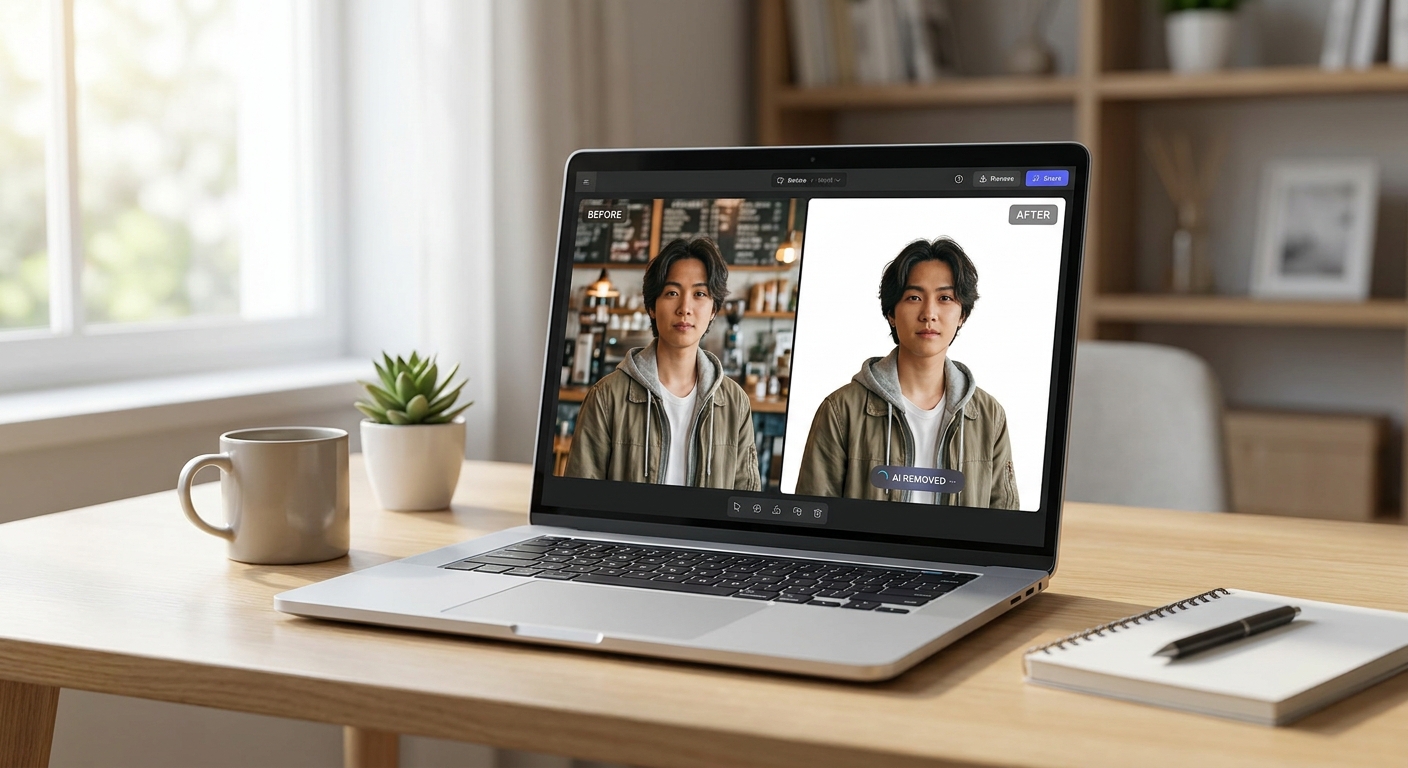
The best AI photo editors in 2026 can remove a background, fix bad lighting, or erase a distracting object in seconds instead of minutes. We ran real-world tests on the most popular tools to see which ones actually deliver on speed and quality, not just marketing promises.
If you edit photos for social media, online listings, or client work, the right AI editor saves hours every week. Below, we break down what we tested, how each tool performed, and which one fits your workflow best.
How We Tested the Best AI Photo Editors
We used the same batch of twenty photos across every tool. The set included portraits with messy backgrounds, product shots with harsh shadows, and outdoor images with unwanted objects like trash cans or stray tourists.
Each photo went through three tasks:
- Background removal: isolating the subject cleanly, including hair and fine edges.
- Lighting correction: fixing underexposed faces or blown-out skies without flattening the image.
- Object cleanup: removing an unwanted item and filling the space naturally.
We timed every edit and rated the result on realism, edge accuracy, and how much manual touch-up was still needed afterward.
Background Removal: Speed vs. Precision
Background removal is the task most people rely on AI for, and it’s also where speed differences are most obvious. The fastest tools produced a clean cutout in under three seconds.
However, speed didn’t always mean quality. Some tools struggled with fine details like flyaway hair or transparent objects such as glasses. The strongest performers used edge-refinement passes automatically, so you rarely needed to fix stray pixels by hand.
For batch work, like editing dozens of product photos at once, the tools with a bulk-upload feature saved the most overall time, even if each individual edit wasn’t the absolute fastest.
Lighting Correction That Actually Looks Natural
Lighting fixes are trickier to judge because “natural” is subjective. We found that many AI editors overcorrect, pushing shadows too bright or making skin tones look artificial.
The better tools offered a strength slider, letting us dial back the correction until it looked believable. This small feature made a big difference in final quality.
Here’s what separated the top performers from the rest:
- They preserved skin texture instead of smoothing it away completely.
- They balanced exposure across the whole frame, not just the subject.
- They avoided introducing color casts in shadow areas.
Object Cleanup and Removal Accuracy
Object cleanup is the most demanding test because the AI has to invent new pixels to fill the gap. This is where quality gaps between tools became most visible.
Simple removals, like a small piece of trash on a plain sidewalk, were handled well by almost every editor. Complex removals, such as a person standing in front of a patterned background, exposed weaker algorithms quickly.
The best AI photo editors handled complex fills by blending texture and pattern seamlessly, so the edit was nearly invisible even when zoomed in. Weaker tools left blurry patches or repeated patterns that looked obviously edited.
Speed Rankings: What Took Longest and Shortest
Across all three tasks, editing speed varied more than we expected. Some platforms processed everything in the cloud almost instantly, while others required longer render times for high-resolution files.
A few practical takeaways from our timing tests:
- Cloud-based editors were generally faster than desktop apps for single-image edits.
- Batch processing tools saved the most time when editing large photo sets.
- Higher resolution images always added processing time, regardless of the tool.
If speed is your top priority, look for tools that clearly advertise real-time or near-instant processing rather than “AI-enhanced” without specifics.
Who Should Use Which Type of Tool
Not every user needs the same features. Casual users editing a few personal photos don’t need the same power as an e-commerce team processing thousands of product shots weekly.
Consider your use case before choosing:
- Social media creators: prioritize fast background swaps and simple lighting fixes.
- Online sellers: prioritize batch processing and consistent white backgrounds.
- Photographers: prioritize fine-tuned sliders and manual override options.
Matching the tool to your workflow matters more than chasing the single “best” option on every feature list.
Beyond Photos: Other AI Tools Worth Pairing With Your Workflow
If you’re building an AI-powered toolkit, photo editing is just one piece. Teams writing product descriptions alongside their images often lean on the best AI grammar checkers to keep copy polished before publishing.
If you’re turning edited photos into client decks or portfolios, it’s worth checking which AI presentation makers create slides that actually sell your work. And if your workflow involves sourcing reference images or trends, an AI research assistant can speed up that legwork significantly.
Businesses managing customer photo submissions, like return requests or product reviews, might also benefit from pairing photo editing with AI customer service tools that cut response times.
Final Verdict
There’s no single tool that wins every category outright. The best AI photo editors we tested balanced speed with realistic results, especially for background removal and lighting correction.
If object cleanup is your main need, prioritize tools with strong texture-fill algorithms over raw processing speed. For everything else, batch features and adjustable strength sliders make the biggest practical difference in day-to-day editing.
Frequently Asked Questions
What are the best AI photo editors for beginners?
Beginners should look for editors with one-click background removal and simple lighting sliders. Tools with too many manual controls can slow down casual users without adding real benefit.
Do AI photo editors work well on low-quality images?
Results vary. Most AI editors improve lighting and remove objects reasonably well on low-quality photos, but fine detail work like hair edges or texture fills tends to look less convincing on blurry source images.
Are AI photo editors good enough to replace manual editing entirely?
For most everyday tasks, yes. But professional photographers and designers often still use AI tools as a fast first pass, then finish with manual touch-ups for the highest-quality results.




















