The best privacy screen for laptop use is one that blocks side-angle viewing without wrecking your screen’s brightness or color. If you work in coffee shops, on planes, or on crowded trains, a privacy filter is one of the cheapest ways to stop shoulder surfers from reading your emails, spreadsheets, or passwords.
This guide breaks down what actually matters when buying one: viewing angle, fit, touchscreen compatibility, and how much brightness you’ll sacrifice. We’ll also cover the trade-offs nobody mentions until you’re squinting at a dimmed screen in a dark train car.
Why You Need a Privacy Screen for Your Laptop
Shoulder surfing is not a theoretical risk. Anyone sitting next to you on a flight or behind you in a coffee shop can glance at your screen and see sensitive data. This includes banking details, client information, or login credentials.
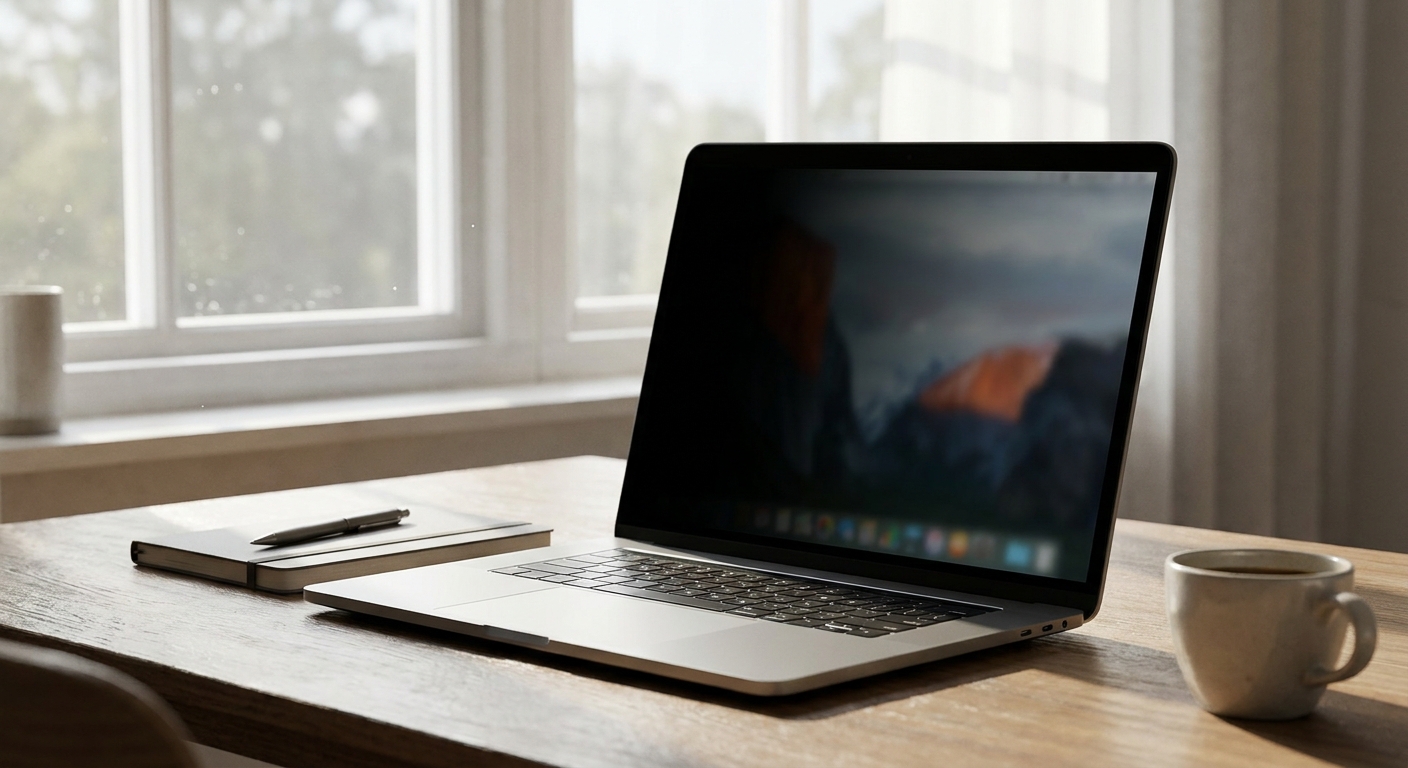
A privacy screen uses a microlouver film to narrow the visible angle of your display. Only someone looking directly at the screen can read it clearly. From the side, the screen appears dark or blank.
This matters even if you already use strong digital protections. Pairing a physical privacy filter with good habits, like those covered in our password manager vs browser autofill comparison, gives you layered protection against both digital and visual snooping.
What to Look for in the Best Privacy Screen for Laptop Use
Not all privacy filters perform the same way. Before buying, check these factors carefully.
Fit and Sizing
Privacy screens are sized to match specific laptop models or screen diagonals. A loose or oversized filter looks unprofessional and can slip during travel.
- Measure diagonally: Confirm your screen size in inches before ordering.
- Check aspect ratio: Some ultra-wide or 3:2 laptops need specific cuts.
- Look for adhesive or frameless options: Adhesive tabs stay put, while frameless magnetic versions are easier to remove daily.
Brightness Loss
Every privacy filter reduces how much light reaches your eyes. This is the biggest complaint among frequent users. Cheaper filters can cut visible brightness noticeably, forcing you to raise your screen brightness and drain battery faster.
Higher-quality filters use better microlouver technology to minimize this loss while still narrowing the viewing cone. If you work outdoors or in bright cafes, prioritize filters marketed as “high-transmission” or “light-boosting.”
Touchscreen Compatibility
If your laptop has a touchscreen, not every privacy filter will work properly. Standard filters can make touch input feel unresponsive or laggy.
Look specifically for filters labeled “touch-compatible.” These use a different adhesive and film structure that preserves touch sensitivity while still narrowing the viewing angle.
Comparing Privacy Screen Types
There are a few common formats on the market, each suited to different travel habits.
- Adhesive gold-standard filters: Permanently mounted, very low brightness loss, best for a single dedicated laptop.
- Frameless magnetic filters: Attach with thin magnetic strips, easy to remove between meetings, slightly bulkier at the edges.
- Removable slide-on filters: No adhesive needed, held by side tabs, but can shift if bumped during travel.
- Gold vs black-side filters: Gold-tinted sides add extra glare reduction outdoors; black sides keep colors neutral indoors.
For frequent flyers, a magnetic or slide-on filter is usually the best privacy screen for laptop setups since it can be removed quickly during security checks or when working alone.
Best Use Cases: Trains, Planes, and Coffee Shops
Each environment creates a different privacy risk, so your filter choice should match your routine.
On planes, tray tables put your screen close to the person beside and sometimes behind you. A 30-degree viewing angle filter is usually tight enough to block most seatmates.
On trains, people often stand and look down at your screen. Filters with vertical angle restriction, not just horizontal, offer better protection here.
In coffee shops, lighting is less controlled, so brightness retention becomes more important than the viewing angle itself. A high-transmission filter keeps your screen legible under variable lighting.
If your work also involves sensitive documents at home, it’s worth reviewing broader physical security habits too, such as our guide on smart doorbell vs alarm system protection for securing your workspace beyond the screen itself.
Installation Tips for a Clean Fit
A poorly installed privacy screen can trap dust or peel at the corners. Follow these steps for the best results.
- Clean your screen thoroughly before applying any adhesive strips.
- Align the top edge first, then lower the filter slowly to avoid air bubbles.
- Use the included microfiber cloth to press out trapped air from the center outward.
- Store removable filters in their original sleeve when not in use to prevent scratches.
Privacy Beyond the Screen
A privacy filter solves one specific problem: visual snooping on your active screen. It doesn’t protect saved passwords, stored documents, or data synced to other devices.
For a fuller security picture, consider reviewing how your other devices handle sensitive data. Our guides on home inventory app security and smart scale data privacy cover similar blind spots people often overlook.
Frequently Asked Questions
Does a privacy screen reduce laptop screen quality?
Yes, slightly. All privacy filters reduce brightness and can add a faint darkening effect to colors. Higher-quality filters minimize this, so the best privacy screen for laptop use balances strong privacy with minimal visible quality loss.
Can I use a privacy screen on a touchscreen laptop?
Only if the filter is labeled touch-compatible. Standard privacy filters can interfere with touch sensitivity, causing delayed or inaccurate responses to taps and swipes.
How do I know what size privacy screen to buy?
Measure your screen diagonally in inches, corner to corner, excluding the bezel. Match this measurement exactly to the manufacturer’s size listing, since even a half-inch difference can affect fit.
A matte-finish privacy screen filter being applied to a silver laptop display on a wooden coffee shop table, with a coffee cup nearby, shown from a side angle to illustrate the darkened off-axis view
Best privacy screen for laptop applied to a laptop display in a coffee shop setting
[“privacy screen”, “laptop security”, “shoulder surfing protection”, “travel tech”, “digital privacy”, “security accessories”]