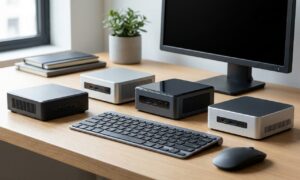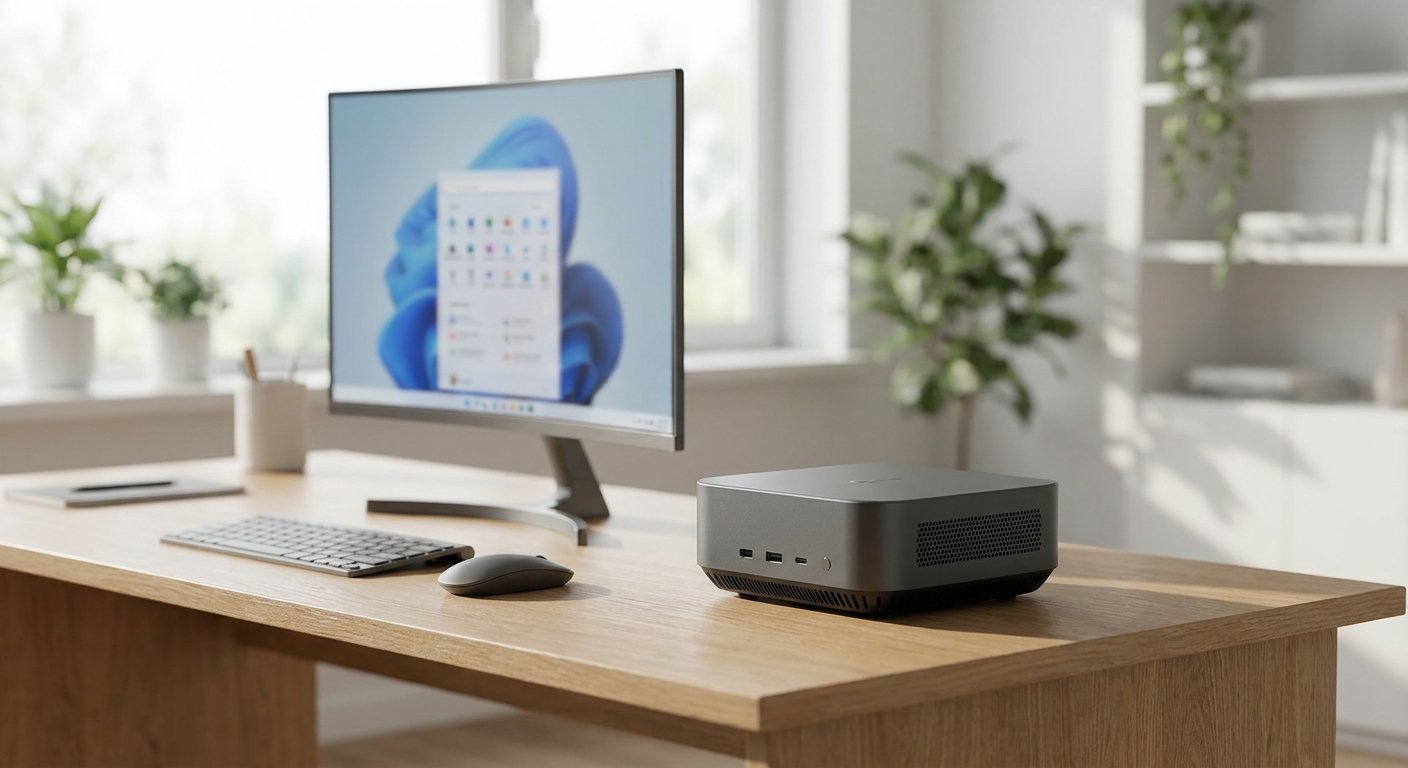
The best mini PCs for home office setups in 2026 give remote workers desktop-level performance without eating up valuable desk space. These compact machines now rival full-size towers in speed, memory, and connectivity. If you’re tired of a bulky computer taking over your home office, choosing one of the best mini PCs for home office use might be the smartest upgrade you make this year.
Remote work has changed what people need from a computer. Many of us no longer need a gaming rig or a workstation tower. Instead, we need something fast, quiet, reliable, and small enough to tuck behind a monitor. The best mini PCs for home office setups answer that call directly.
In this guide, we’ll break down what makes a mini PC great for home office use, what specs actually matter, and how to pick the best mini PCs for home office workflows in 2026.
Why Choose a Mini PC for Your Home Office?
Mini PCs have come a long way. They used to be underpowered boxes meant for basic browsing. Today’s models pack enough processing power for video calls, spreadsheets, multitasking, and even light photo editing, which is exactly why the best mini PCs for home office use are gaining popularity.
Here are the biggest advantages of switching to a mini PC:
- Space savings: Most mini PCs are smaller than a hardback book, freeing up desk real estate.
- Lower power consumption: Compact components typically use less electricity than full towers.
- Quieter operation: Smaller fans and efficient chips mean less noise during calls.
- Easy setup: Many mini PCs can be mounted behind a monitor using a VESA bracket.
- Lower upfront cost: Without a built-in display or bulky case, prices are often more affordable than laptops with similar specs.
For anyone building a clean, minimalist home office, these benefits add up quickly, making the case for the best mini PCs for home office use even stronger.
Key Features to Look for in the Best Mini PCs for Home Office Use
Not every mini PC is built the same. Before buying, pay attention to these core specifications so you end up with one of the best mini PCs for home office tasks rather than a machine that struggles under daily use.
Processor Performance
A capable mid-range processor is usually enough for office work, video conferencing, and browser-heavy tasks. If you run demanding software or juggle many browser tabs, look for a higher core count and newer chip generation.
Memory and Storage
Aim for at least 16GB of RAM for smooth multitasking in 2026. Solid-state storage is a must, since it dramatically speeds up boot times and file access compared to older mechanical drives.
Port Selection
Home office setups often rely on multiple monitors, external drives, webcams, and docking stations. Check for enough USB-A, USB-C, HDMI, and Ethernet ports before committing to a model.
Cooling and Noise Levels
Since many mini PCs sit close to your microphone during calls, quiet cooling matters. Look for reviews that mention fan noise under sustained workloads, not just idle performance.
Best Mini PC Picks by Use Case
Different remote workers have different needs. Here’s how to match one of the best mini PCs for home office use to your specific role.
For General Office and Admin Work
If your day involves email, documents, and video calls, an entry-level mini PC with a modern efficiency-focused chip and 16GB of RAM will handle everything smoothly. You won’t need top-tier graphics power here.
For Multi-Monitor Productivity Setups
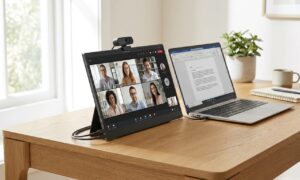
Professionals who run two or three displays should prioritize a mini PC with strong multi-display output support. Pairing it with a quality external display can boost productivity significantly. If you’re also considering ultra-portable screens for travel days, our guide to the best portable monitors for laptops is a helpful companion resource.
For Creative or Development Work
Designers, developers, and video editors need more RAM, faster storage, and a stronger processor. Look for mini PCs that support 32GB or more of memory and offer discrete or upgraded integrated graphics.
For Minimalist or Travel-Friendly Setups
Some mini PCs are small enough to pack in a bag for coworking spaces or client visits. If you frequently work outside the home, pairing your mini PC with a lightweight external monitor keeps your setup portable without sacrificing screen real estate.
Setting Up Your Mini PC Home Office
Once you’ve chosen one of the best mini PCs for home office use, a few accessories can round out a comfortable, efficient workstation.
- External monitor: Since mini PCs don’t include a screen, invest in a display suited to long work sessions. Our guide to monitors for eye strain is worth reviewing if you spend long hours staring at a screen.
- Docking station: A dock simplifies connecting multiple peripherals through a single cable.
- Webcam and microphone: Since mini PCs lack built-in cameras, a quality external webcam ensures professional video calls.
- Smart home accessories: Many remote workers also upgrade their home security while working from home. If that’s on your list, check out our picks for the best smart doorbell without subscription fees.
Building a complete setup around your mini PC ensures you get the full productivity benefit without unnecessary clutter.
Mini PC vs. Laptop vs. Traditional Desktop
It helps to understand how mini PCs compare to other options before deciding on the best mini PCs for home office use for your situation.
Laptops offer portability but often throttle performance during heavy multitasking, especially during video calls combined with document editing. Traditional desktop towers offer raw power but take up significant space and can be loud under load.
Mini PCs sit in a sweet spot: desktop-level performance, minimal footprint, and quieter operation than most towers. For home office environments where space and noise matter, this balance is exactly why the best mini PCs for home office use are becoming an increasingly popular choice in 2026.
Frequently Asked Questions
Are mini PCs powerful enough for remote work in 2026?
Yes. Most modern mini PCs handle video conferencing, document editing, spreadsheets, and multitasking with ease. For creative or development work, choose a model with more RAM and a stronger processor.
Do mini PCs come with a monitor included?
No, mini PCs require an external monitor, keyboard, and mouse. This separation is part of what keeps them compact and affordable compared to all-in-one desktops.
What is the biggest advantage of choosing one of the best mini PCs for home office use?
The biggest advantage is space efficiency combined with solid performance. You get a desktop-capable machine that fits in a small corner or mounts behind your monitor, freeing up your desk entirely.
How do I choose between the best mini PCs for home office versus a laptop?
If you rarely need to travel and want consistent desktop performance at your desk, a mini PC is usually the better long-term choice. Laptops remain the better pick if portability is your top priority.
Choosing the right mini PC comes down to matching specs to your actual workload. Whether you need a simple machine for email and calls or a stronger setup for creative tasks, the best mini PCs for home office use in 2026 cover a wide range of budgets and needs. Pair your pick with the right monitor, dock, and accessories, and you’ll have a clean, efficient workstation that performs well above its small size.